
📢 Enrollment Help for 2026–2027 School Year 📢
Posted Date: 04/16/26 (07:18 AM)
If you are trying to enroll your student(s) for the 2026-2027 School Year and receive this message: “You are not allowed to create new requests when you have a Started request”
Here’s how to fix it:
✔️ Click on the task that says “Update or Enroll Student (Started)” (see attached picture)
✔️ Open that task
✔️ In the upper right-hand corner, click Delete
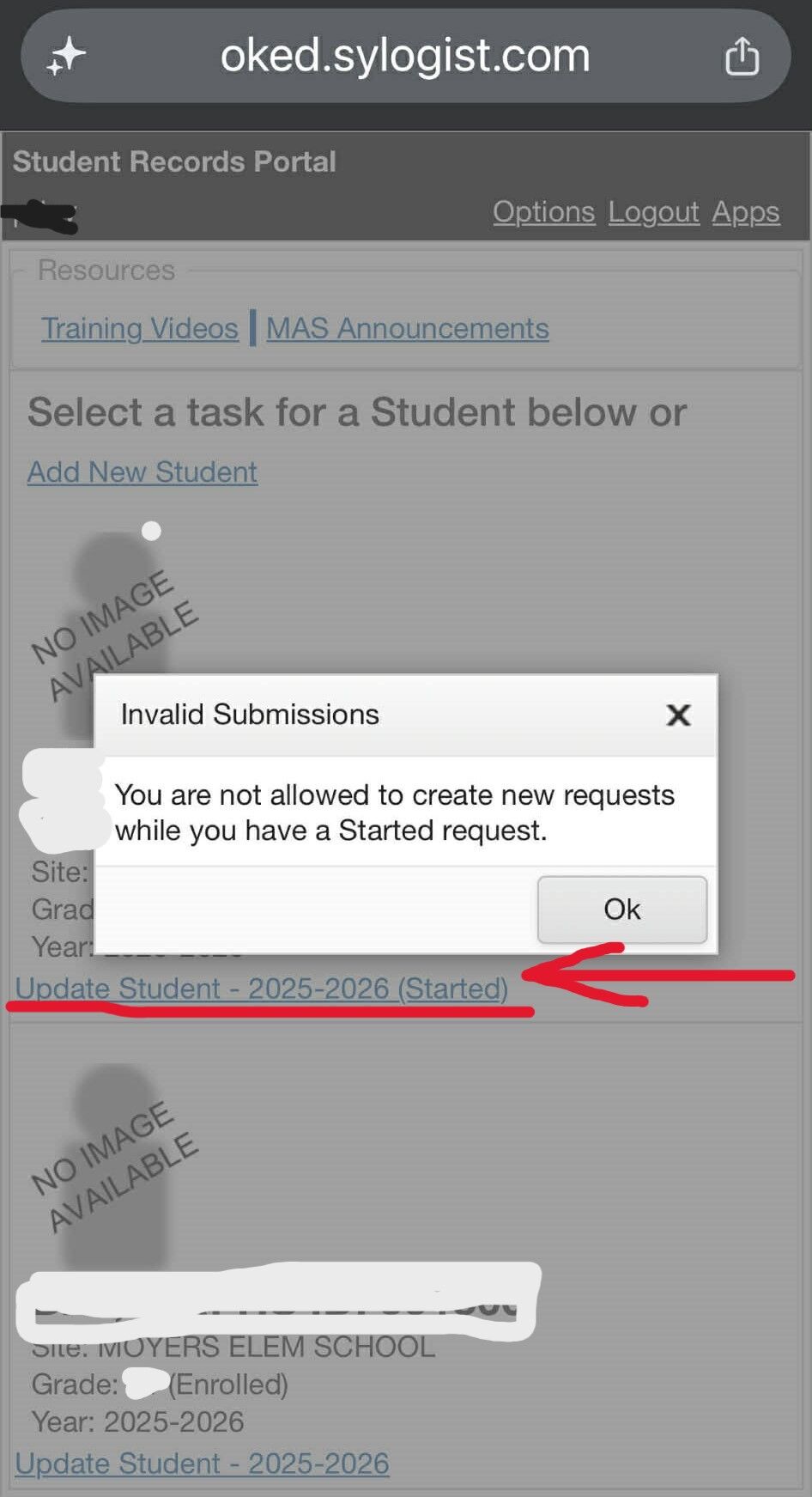 Once you delete the “Started” request, you will be able to begin enrollment for the 2026–2027 school year.
🔔Important Reminders:
You must completely submit one student’s enrollment before starting another.
You will receive an email notification once we have accepted or denied your enrollment.
If you continue to have issues, please contact the school office for assistance.
Thank you!